Photo by Team TGM
A strong brand kit makes your business recognizable everywhere — website, Instagram, packaging, ads, and more. Canva AI now lets you create logos, color palettes, fonts, and full brand identities in minutes. This article shows you exactly how to build a full brand kit from scratch using Canva AI, even if you’re a beginner.
Table of Content:
How to Build a Full Brand Kit Using Canva AI (Colors, Fonts, Logo)
Branding used to be complicated. But with Canva AI, you can create a professional-looking brand kit in a few minutes — without any design experience.
Your brand kit includes:
✔ Brand logo
✔ Font styles
✔ Color palette
✔ Brand imagery style
✔ Social templates
✔ Brand voice and tone
Let’s build each part step-by-step.
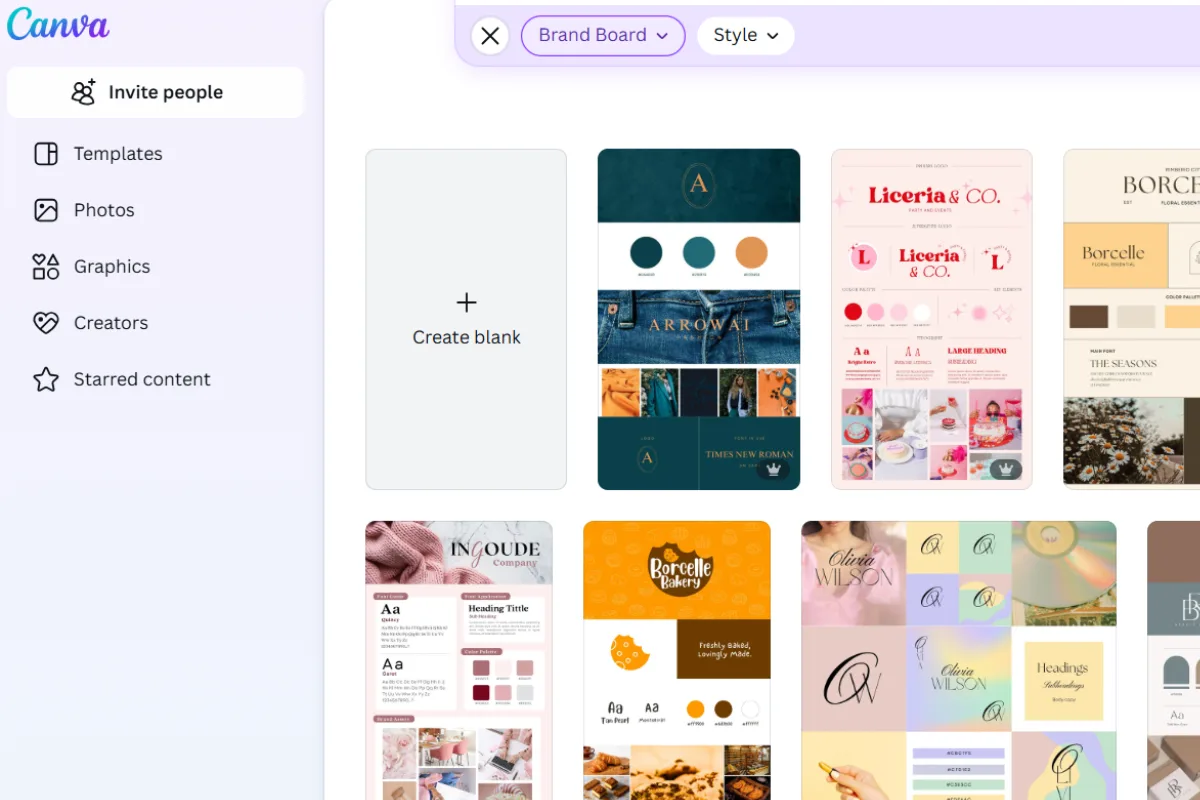
1. Start With Canva Brand Hub
Go to Brand Hub → Create a Brand Kit.
Yahaan Canva AI aapka pura brand identity one place par organize karta hai, jise aap har design mai instantly use kar sakte ho.
Why Brand Hub Matters
- Consistency in every post
- Time saving
- Automatic styling for designs
- Easy team collaboration
2. Create Your Logo with Canva AI
Canva AI “Text to Logo” feature use karta hai to generate brand-relevant logos.
Steps:
- Go to Apps → AI Tools → Logo Generator
- Type your brand name + describe your brand
- Example:
“Minimal fashion brand logo in black and beige, elegant, thin lines.”
- Example:
- Choose style → modern, luxury, playful, bold
- Generate options
- Edit your favorite version
Use AI prompt with brand personality words like:
- Minimal
- Elegant
- Playful
- Modern
- Premium
- Friendly
Isse results zyada accurate milte hain.
3. Generate Your Brand Colors Using Canva AI
Color palette your branding ka backbone hoti hai. Canva “Color Palette Generator” AI se aap:
✔ Start from an image
✔ Start from brand personality
✔ Start from AI recommendations
Steps:
- Go to Brand Hub → Color Palette
- Click Generate with AI
- Use prompts like:
- “Soft feminine pastel palette for beauty brand”
- “Bold red and black palette for tech startup”
- “Earthy neutral tones for handmade craft brand”
- AI will auto-create 4–6 color combinations.
Choose:
- 1 primary brand color
- 2 supporting colors
- 1 accent color
It keeps your brand clean and premium.
4. Choose Your Brand Fonts (AI Recommended)
Fonts define your overall brand personality.
Canva AI automatically suggests font pairings.
Steps:
- Go to Brand Hub → Typography
- Select Generate Font Pair
- Choose:
- Heading font (bold personality)
- Subheading font (clean & modern)
- Body text font (simple, readable)
Avoid using more than 2–3 fonts.
Too many fonts = messy branding.
5. Define Your Brand Voice Using Canva AI
Yes — Canva ab aapki brand voice bhi generate karta hai!
Steps:
- Go to Brand Hub → Brand Guidelines
- Select AI Suggestions
- Add inputs:
- Who is your audience?
- What is your business tone?
- How do you want people to feel?
Example prompt:
“Friendly and confident tone for a women’s clothing brand that empowers everyday style.”
Use 3 power words for your voice:
- Friendly
- Bold
- Helpful
- Inspirational
- Minimal
6. Create Imagery Style Guidelines
Your brand’s images should follow a similar mood.
Canva AI helps you set:
- Photography style
- Filters
- Mockup tone
- Icon style
Use AI prompts like:
- “Warm aesthetic product photos with natural light”
- “Minimal flat-lay images for skincare brand”
7. Build Ready-to-Use Brand Templates
Brand kit banaane ke baad, templates banana MOST important part hai.
Make templates for:
✔ Instagram posts
✔ Reels cover
✔ Business cards
✔ Flyers
✔ Website banners
✔ Presentation slides
✔ Packaging stickers
Canva automatically applies:
- Your colors
- Your fonts
- Your logo
Create 10–15 templates you can reuse every week.
This makes your brand 100% consistent.
8. Download + Share Your Brand Kit
Once your brand elements are ready, Canva AI gives you:
- Full brand document
- One-click export
- PDF branding guide
- Shareable link for teams/clients
You can send this as your official Brand Identity Kit.
Conclusion
Building a brand kit used to take days. Now, Canva AI makes it simple — from logo to colors to fonts — everything happens in minutes. A strong brand kit helps you stay consistent, professional, and instantly recognizable across all platforms. Whether you’re a small business owner or a content creator, Canva AI gives you all the tools you need to build a powerful brand identity.
-
It’s a collection of your brand assets — logo, colors, fonts, imagery style — all saved in one place for consistent designs.