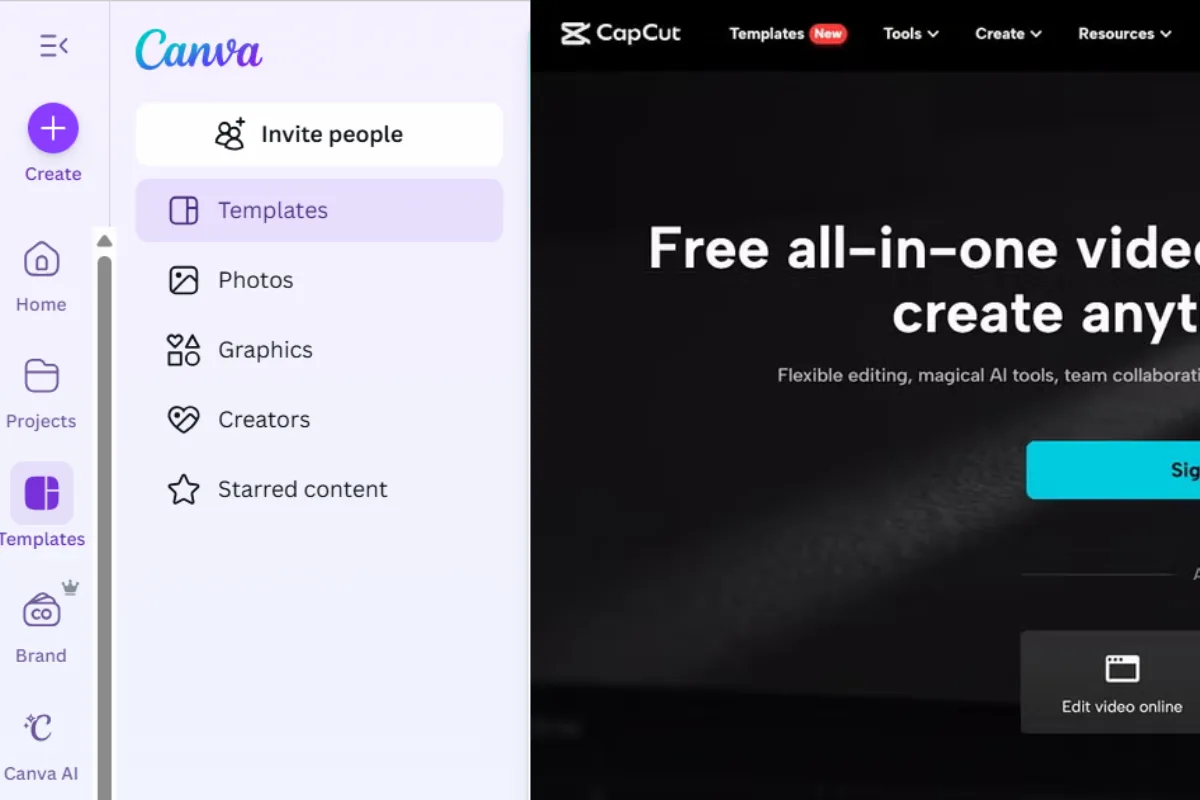
Photo by Team TGM
AI-powered video editing has completely changed how creators make content. What once required advanced software and hours of editing can now be done in minutes using smart AI tools.
Two names dominate this space today: Canva AI Video Editing and CapCut AI.
Both tools promise faster editing, automatic captions, templates, and AI-powered features — but they are built for slightly different users.
In this detailed comparison, we’ll break down:
- What Canva AI Video Editing and CapCut AI are
- Their AI features and editing capabilities
- Real-world use cases
- Pricing, pros, and cons
- Which tool is better for you
Let’s get started.
Table of Content:
Canva AI vs CapCut AI
Canva AI Video Editing is part of Canva’s all-in-one design platform. It focuses on simplicity, branding, and quick content creation.
CapCut AI is a dedicated video editing tool built specifically for short-form and long-form videos, especially for social media platforms like TikTok, Instagram Reels, and YouTube Shorts.
High-level difference:
- Canva = design-first, beginner-friendly
- CapCut = video-first, creator-focused
What Is Canva AI Video Editing?
Canva AI Video Editing is Canva’s built-in video creation system powered by AI. It’s designed for users who want to create videos quickly without learning complex timelines.
Key AI Video Features in Canva
- Text-to-video generation
- Magic Design for video layouts
- Auto captions and subtitles
- Beat sync for music
- Background remover (Pro)
- Brand Kit for consistent visuals
Best Use Cases for Canva AI
- Marketing videos
- Social media posts
- YouTube intros & outros
- Business promos
- Educational explainer videos
If you already use Canva for graphics, presentations, or thumbnails, Canva AI video editing fits naturally into your workflow.
What Is CapCut AI?
CapCut AI is a powerful video editing tool created by ByteDance (the company behind TikTok). It’s built specifically for creators who want advanced control with AI assistance.
Key AI Features in CapCut
- AI auto captions (very accurate)
- Smart cuts and silence removal
- Text-to-speech voiceovers
- AI scripts and templates
- Auto reframe for Shorts and Reels
- Advanced transitions and effects
Best Use Cases for CapCut AI
- Instagram Reels
- TikTok videos
- YouTube Shorts
- Vlogs and creator content
Ease of Use: Canva AI vs CapCut AI
Canva AI is extremely beginner-friendly. You don’t need to understand timelines or video layers. Everything works through drag-and-drop templates.
CapCut AI has a slightly steeper learning curve but offers more creative control. The timeline-based editor gives you precision but may feel overwhelming for complete beginners.
Winner for beginners: Canva AI
Winner for creators who want control: CapCut AI
AI Features Comparison
Here’s how both tools compare on core AI features:
- Text-to-video: Canva ✅ | CapCut ❌
- Auto captions: Canva ✅ | CapCut ✅ (more accurate)
- Templates: Canva ✅ | CapCut ✅
- Music beat sync: Canva ✅ | CapCut ✅
- Background removal: Canva ✅ (Pro) | CapCut ❌
- Text-to-speech: Canva ❌ | CapCut ✅
- Brand Kit: Canva ✅ | CapCut ❌
Video Editing Capabilities
Canva AI
- Simple timeline
- Limited transitions
- Great for quick edits
- Best for short marketing videos
CapCut AI
- Advanced timeline control
- Rich effects and overlays
- Better transitions
- Supports longer videos
If you want speed → Canva
If you want depth → CapCut
Templates and Content Types
Canva AI Templates
- Social media videos
- Ads and promos
- Presentation-style videos
- Explainers
CapCut Templates
- TikTok & Reels templates
- Trend-based video formats
- Creator-focused effects
CapCut clearly wins for trend-based and viral content.
Real-World Use Cases
1. Social Media Creators
CapCut AI is better for Reels, Shorts, and TikTok because of its auto-cut, captions, and viral templates.
2. YouTubers
- Canva: intros, outros, thumbnails
- CapCut: full video editing, Shorts repurposing
3. Small Businesses & Marketers
Canva AI works better for branded promo videos, ads, and consistent visual identity.
Performance and Output Quality
- Rendering speed: CapCut is slightly faster
- Caption accuracy: CapCut is more accurate
- Export quality: Both support HD & 4K
- Audio quality: CapCut offers more control
Pricing Comparison
Canva Pricing
- Free plan available
- Canva Pro: ~$14.99/month
- Includes AI tools, Brand Kit, and premium assets
CapCut Pricing
- Free plan available
- CapCut Pro: varies by region
- Focused mainly on video features
Best value for video-only creators: CapCut Pro
Pros and Cons
Canva AI Pros
- Extremely easy to use
- All-in-one design + video tool
- Strong branding features
- Ideal for businesses
Canva AI Cons
- Limited advanced editing
- Not ideal for long videos
CapCut AI Pros
- Powerful AI video tools
- Excellent for short-form content
- Better caption accuracy
CapCut AI Cons
- Less branding support
- Slight learning curve
Which One Should You Choose?
Choose Canva AI Video Editing if:
- You’re a beginner
- You want fast, branded videos
- You already use Canva
Choose CapCut AI if:
- You’re a content creator
- You post Reels, Shorts, or TikToks regularly
- You want more control over edits
Final Verdict
There is no single “winner” — it depends on your goals.
If you want simplicity, branding, and speed, Canva AI Video Editing is the better choice.
If you want creative control, viral content, and advanced AI tools, CapCut AI is the better option.
Many U.S. creators actually use both — Canva for design and CapCut for editing.
-
Yes, especially for beginners and marketing videos.